GBCORP BLOG · IT SERVICES
Android App Development: From First Build to Play Rollout
Writing an Android app is half the job. The other half is the path through Google Play: testing tracks, signing keys, declarations and a rollout that can be stopped if something breaks. It is where unprepared projects lose weeks.
Android app development covers designing, building, testing and publishing an app for Android phones and tablets, then keeping it accepted by Google Play as the platform changes. GBCORP builds Android apps from one codebase shared with iOS and the web, so the screens are written once. The release path, however, is specific to Android, and it is worth understanding before a project starts because it affects both your timeline and your accounts.
The path through Google Play
| Track | Who gets it | What it is for |
|---|---|---|
| Internal testing | Up to 100 testers you name by e-mail | Your team, on each new build |
| Closed testing | A wider group you invite | Friendly customers and real-world feedback |
| Open testing | Anyone who joins from the store listing | A large test before a wide launch, if needed |
| Production, staged | A percentage of users, raised over time | The real release, with a brake |
One rule catches small teams out. Personal developer accounts created after November 13, 2023 must run a closed test with at least 12 testers, opted in for 14 days, before applying for production access. The rule is written for personal accounts, which is one more reason for a company to register as an organisation from the start.
Bundles and signing keys
New apps have had to publish as an Android App Bundle since August 2021. Google Play uses the bundle to generate a download suited to each device, so customers receive less data. Signing uses two keys: an upload key your team uses to submit builds, and an app signing key Play uses to sign what customers install. Treat the upload key like a bank credential: backed up, known to more than one person and tied to the company. A lost one can be reset through Play Console, but that is a delay nobody needs.
A staged rollout has a brake
A production update can go to a small percentage of users first, then be raised as the figures hold. If something breaks, the rollout can be halted so no further users receive it, while those who already have it stay on that version until a fix ships. That is why a release plan should include time to watch the crash reports after every step.
Checklist before the first build
- Register a Play developer account as an organisation, in the company’s name.
- Decide who holds the upload key, and where the backup lives.
- List the oldest Android version and the cheapest phone you must support.
- Name your internal testers and your closed-test group.
- Write the privacy policy that the listing and the app must link to.
- Agree the rollout steps, and who can halt a release.
The numbers to expect
Scoping takes one week, priced on its own, ending in a written scope and a fixed quotation. A custom first release takes eight to twelve weeks, with a usable test build every two weeks on the internal track. Where a configured edition fits, it goes live within one to five working days on the web, with store listings after review, at a flat monthly plan. Customised or more complex functionality is quoted separately before any work starts.
A worked example
Consider a home-services company launching a customer app on Android and iOS together. From the second week each new build goes to the internal track, where the office team use it on their own phones. At the first usable release, twenty regular customers join a closed test, and their feedback removes two screens nobody understood. At launch the production release goes to a small percentage of users. On the second day, the crash report shows a failure on one older phone model with limited memory, which no tester owned. The team halts the rollout, fixes the fault, ships the new version and resumes. Most customers never see the problem, and the reviews on the listing stay clean. The same steps, shortened, then become the routine for every later update.
The declarations Google expects
Before an app reaches production, Play Console asks for a set of statements about it: a privacy policy linked from the listing and inside the app, a Data safety form saying what is collected and shared, the target audience, a content rating and whether the app contains ads. They are not a formality, because inaccurate answers can lead to enforcement against the app. Complete them from the real data list in your scope, and update them when a new feature collects something new. Leaving this until launch week is an avoidable way to lose time.
Reading Android vitals
Android vitals in Play Console reports crashes and app-not-responding errors from real devices, by device and by version. Read it after every rollout step, and monthly between releases. Problems concentrated on one manufacturer or one Android version point to a specific fix rather than a general one. Poor technical quality can also reduce how visible an app is on the store, so these figures are more than an engineering interest, and someone on the business side should see them too.
The yearly update you cannot skip
Google Play requires new apps and updates to target a recent Android version, and the floor moves up each year. An app left alone eventually stops being offered to new users on newer phones. Plan one compliance update a year, test it on the internal track and treat it as a running cost rather than a surprise.
Test on the phones customers own
Look at which devices your market really uses rather than what the team carries. Play Console’s pre-launch report runs uploaded bundles through automated tests on devices in Google’s lab, capacity permitting, which catches many stability and compatibility problems. Add a few cheap, older phones to your own test set, because that is where memory problems and slow screens show first.
Getting customers onto the new version
Not everyone updates promptly. Google Play’s in-app updates let the app ask a user to update from inside the app, which helps when a fix matters. Keep the server able to serve the last few versions, so an older app keeps working rather than breaking on the day you ship.
Android and iOS together
With one codebase a feature is built once, but release timing can differ because each store has its own review. Plan announcements around the later of the two, not the earlier. Test device-specific behaviour such as notification permissions and the back button on each platform, since that is where shared code meets real differences.
Ownership terms
The Play developer account, the app listing, the reviews and the upload key all belong to the company. Code sits in a repository in your name and is documented with every release. If a listing ever has to move, Google Play has a transfer process between developer accounts, but it is far better never to need it.
Questions we hear first
Do we need a separate iOS project?
No. One codebase serves Android, iOS and the web. Each store still has its own listing, review and release steps.
How long does Google Play take to review an app?
It varies, and first releases from new accounts can take longer. Build that time into the launch plan rather than promising a date.
Who owns the Play listing?
You do. The developer account, the listing and its reviews are in the company’s name.
What happens when Google changes its requirements?
The app needs updating. New apps and updates must target a recent Android version, and that floor rises each year. A support plan covers this, or your own team can.
Where to start
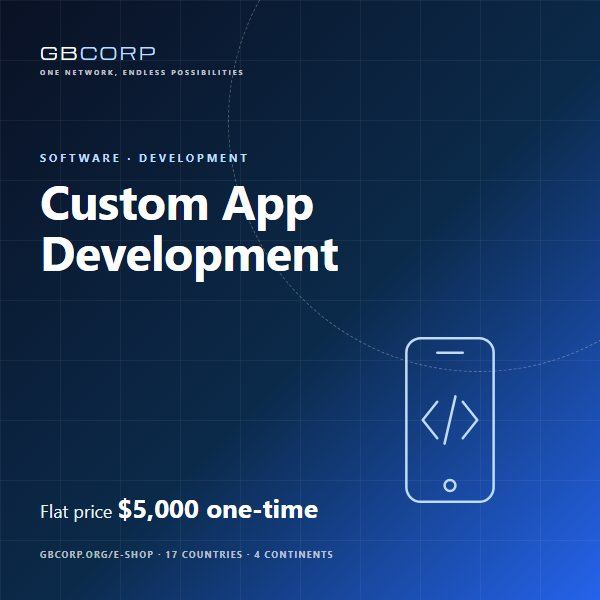
The GBCORP Custom App Development product is the priced starting point; the GBCORP mobile app development hub sets out the method. For device variety and policies, read Android application development; for when Android should lead, read custom Android app.
GBCORP operates across 17 countries on 4 continents through six pillars: AI & IT, Innovation, Sustainability, Infrastructure, Business Lounge, and EV's & Solutions.